 EWMD
Video downloader can’t find the video? A checklist that works
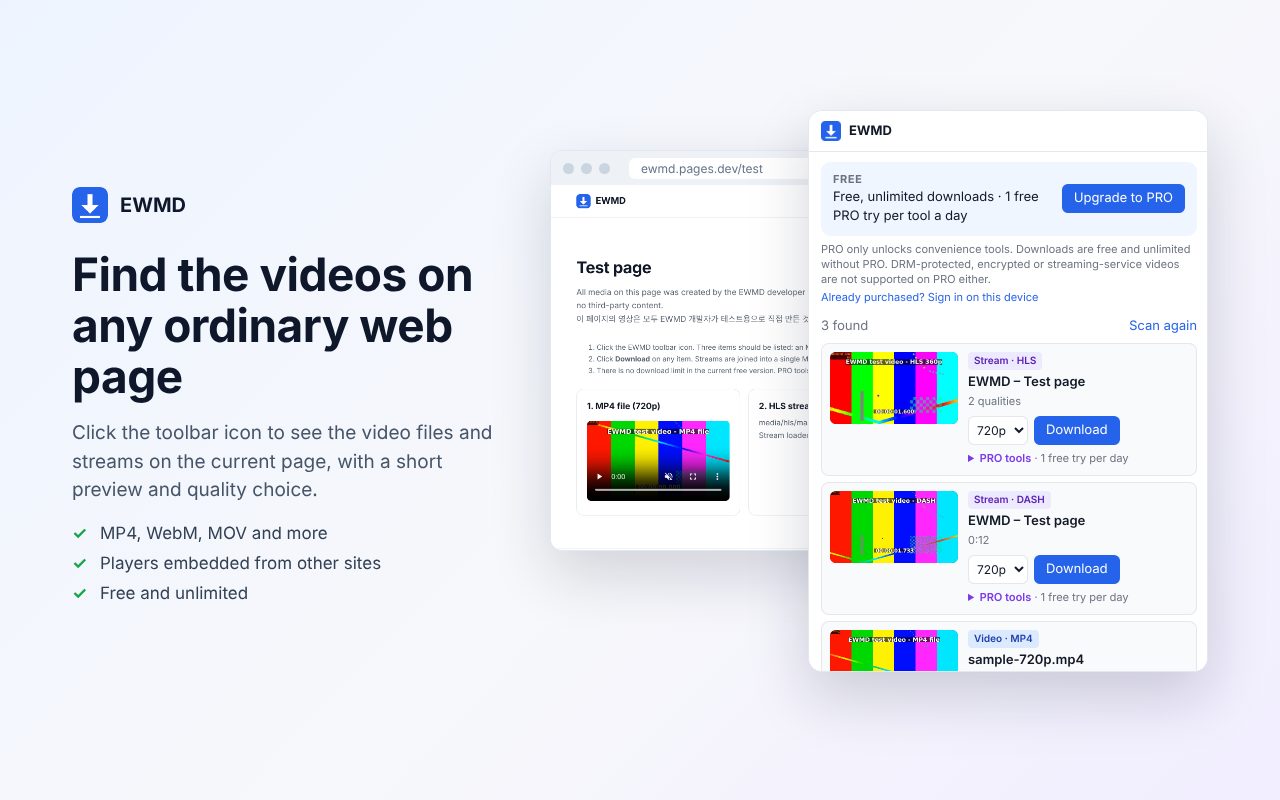
You open the page, click your video downloader, and the list is empty — or the video is there but will not save. Most of the time the cause is one of a handful of simple things. Work through this checklist from the top.
1. Play the video first
Modern players often load nothing until you press play. The real video address (or the HLS/DASH playlist) only appears once playback starts. Play the video for a few seconds, then open EWMD and click Scan again.
2. Reload the page
If the video had already started before the extension was installed or enabled, its requests were missed. Reload the page, play the video again and scan again.
3. Videos inside embedded players
Many sites show a player that actually comes from another domain (an iframe). EWMD also looks inside players embedded from other sites, so these usually appear in the list once they start playing. If the player is in a pop-up or a separate window, open that window and scan there.
4. “blob:” addresses
If you inspect the page and see the video source as blob:https://…, the page is building the video in memory from a stream. You cannot save that blob address directly. EWMD finds the HLS or DASH stream behind it instead — play the video and it shows up as a stream.
5. Private (incognito) windows
Extensions do not run in incognito windows unless you allow it. Open chrome://extensions, click Details under EWMD and turn on Allow in Incognito if you need it there.
6. Read the message — some videos cannot be saved
If EWMD shows a message instead of a Download button, it tells you why:
- “DRM-protected – cannot be downloaded” — the video uses digital rights management. EWMD never bypasses DRM.
- “Encrypted” — the HLS stream is encrypted. This is also a protection measure and is not supported.
- “Live stream – not supported” — a live broadcast has no end, so there is no complete file.
- “This site has turned off downloading for its videos” — the site marked its videos as not downloadable, and EWMD respects that.
- “This site is not supported” — video and music streaming services, and platforms whose terms do not allow downloading, are excluded by design.
These are not bugs. EWMD is meant for videos you own or are allowed to download: your own recordings, course videos with download rights, openly licensed clips and the like.
7. Where did the file go?
Saved videos go to your Downloads folder, inside a folder named EWMD. You can change or remove this sub-folder in EWMD’s settings. Streams take a while: keep the tab open until the progress reaches the end.
8. Test that EWMD itself works
Open the sample page. It has an MP4, an HLS stream and a DASH stream. If those three save correctly, EWMD is working, and the problem is specific to the page you were trying.
Still stuck?
Email barttools.contact@gmail.com with the EWMD version and what you see. Please do not send links to protected or paid content.
More detail: saving HLS (m3u8) videos · saving DASH (mpd) videos.
Try EWMD
Free and unlimited downloads, no sign-up. Detection and saving happen in your browser.
Only save videos you own or have permission to download, and follow each website’s terms.
Questions
- Why does a video downloader find nothing on some pages?
- Usually because the video has not started playing yet, so the player has not requested the video. Play it, then scan again. Protected videos, live streams and excluded sites are intentionally not listed.
- Can EWMD download YouTube or Netflix videos?
- No. Video and music streaming services are excluded by design, and DRM-protected video is never saved.
- Does EWMD work in incognito mode?
- Only if you allow it: chrome://extensions → EWMD → Details → Allow in Incognito.
More guides
- How to save an m3u8 (HLS) video from a web page as MP4
What an m3u8 file is, why “Save video as” does not work, and how to save an HLS stream you are allowed to keep as a single MP4 file in Chrome.
- How to save a DASH (.mpd) video from a web page as MP4
What an MPD file is, why DASH video and audio come as separate tracks, and how to save a DASH stream you are allowed to keep as one MP4 in Chrome.